
Kwillit

Money, lists & tasks

Money and lists, one calm app.

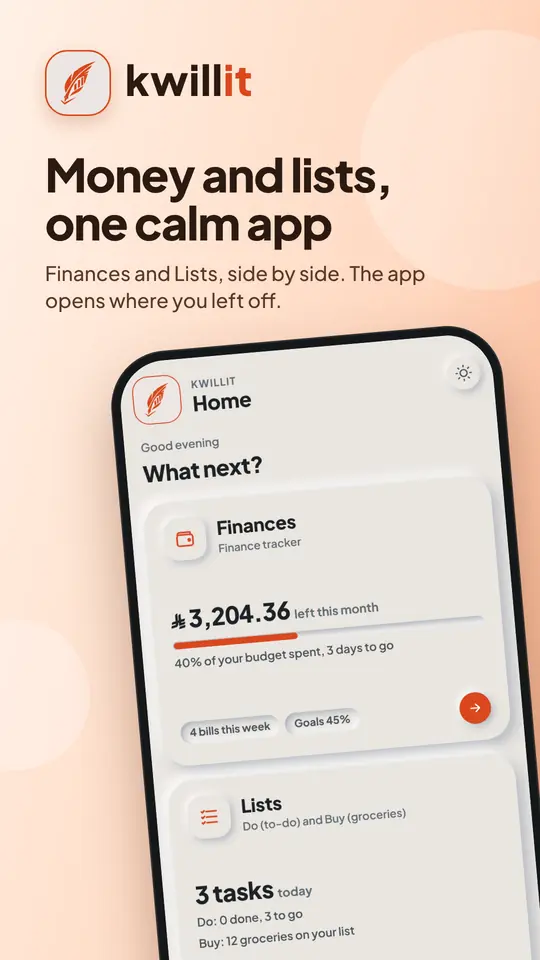
Track money and bills, keep to-dos and shopping lists, all in one calm app. Open it and pick up where you left off: Finances on one side, Lists on the other.

Kwillit home screen showing Finances and Lists

A look inside

Calm screens, clear numbers

  • Kwillit home screen: Finances and Lists side by side
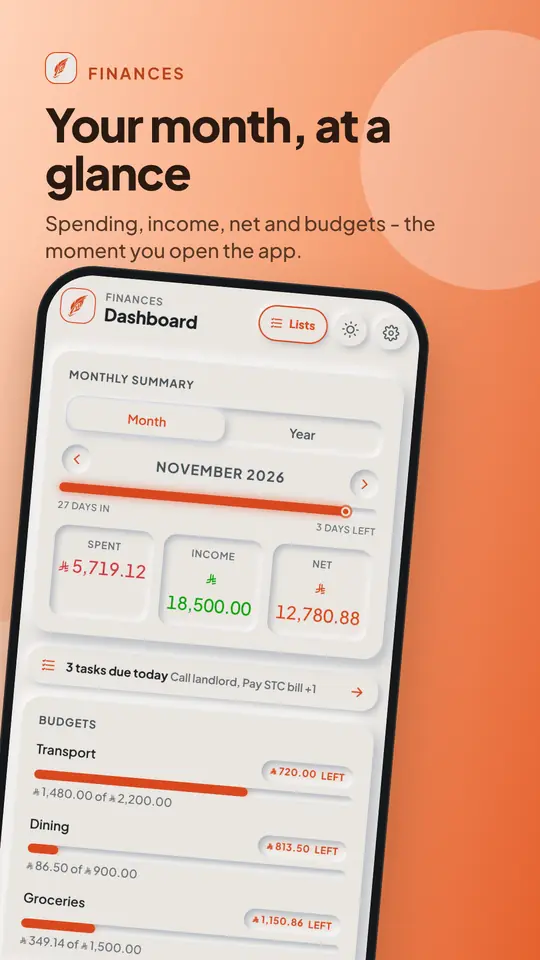
  • Dashboard: your month at a glance, with spending, income, net and budgets
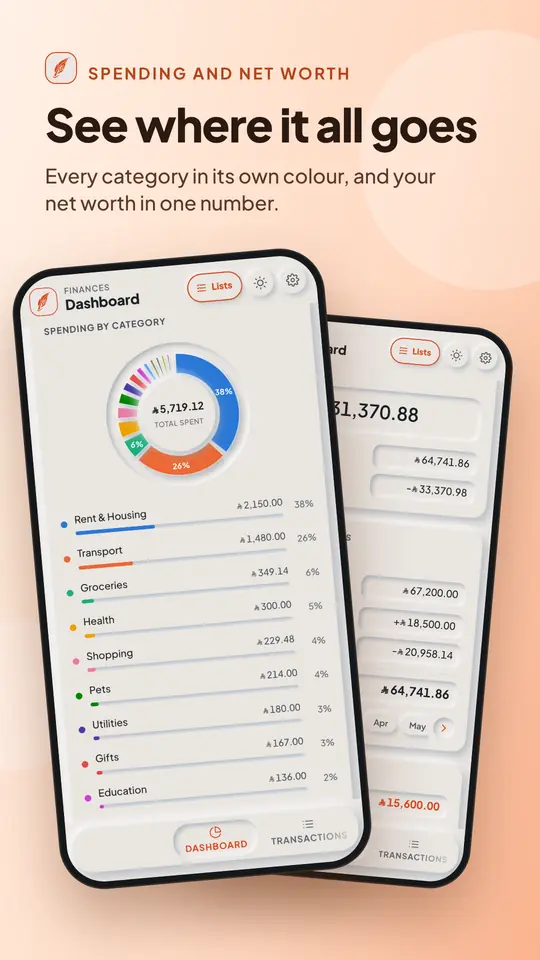
  • Spending by category and net worth
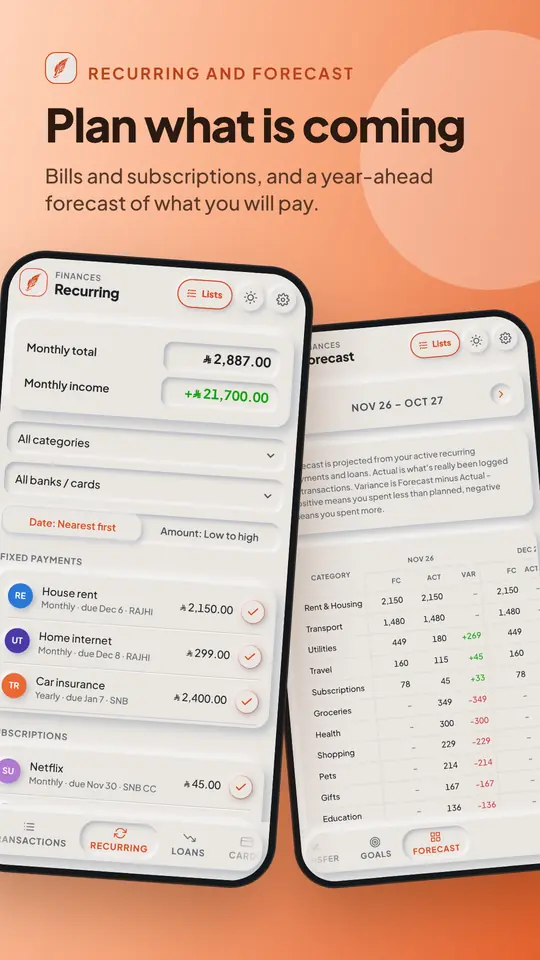
  • Recurring bills and a year-ahead forecast
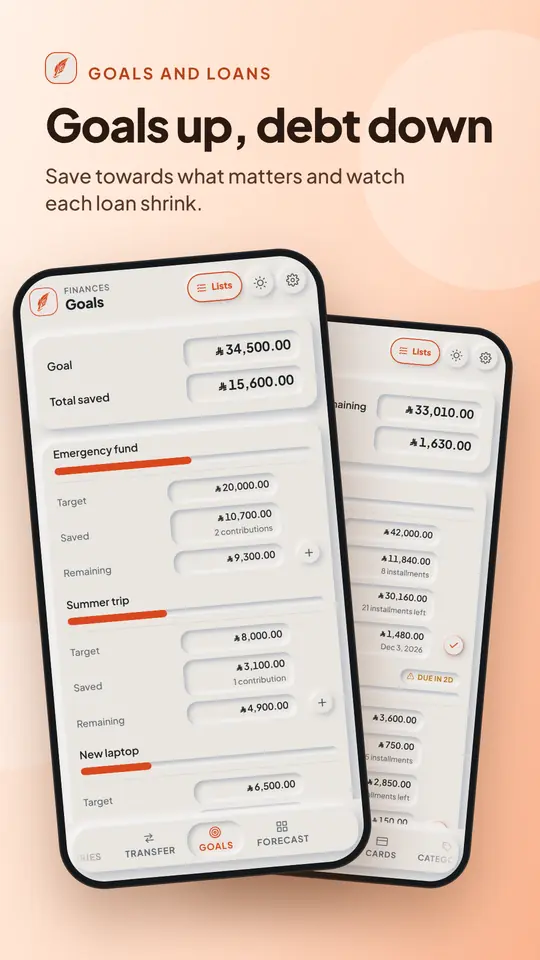
  • Savings goals and loans
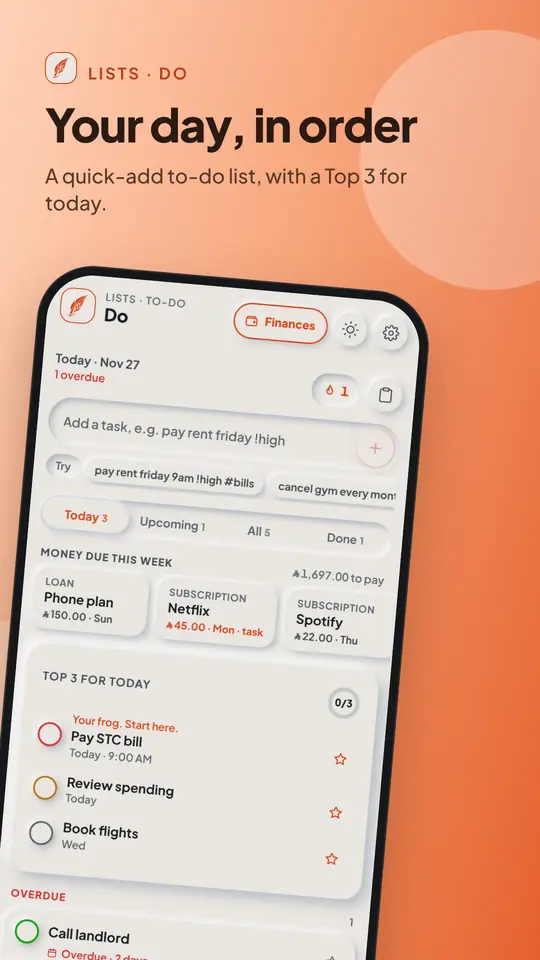
  • Do: a to-do list with due dates and a Top 3 for today
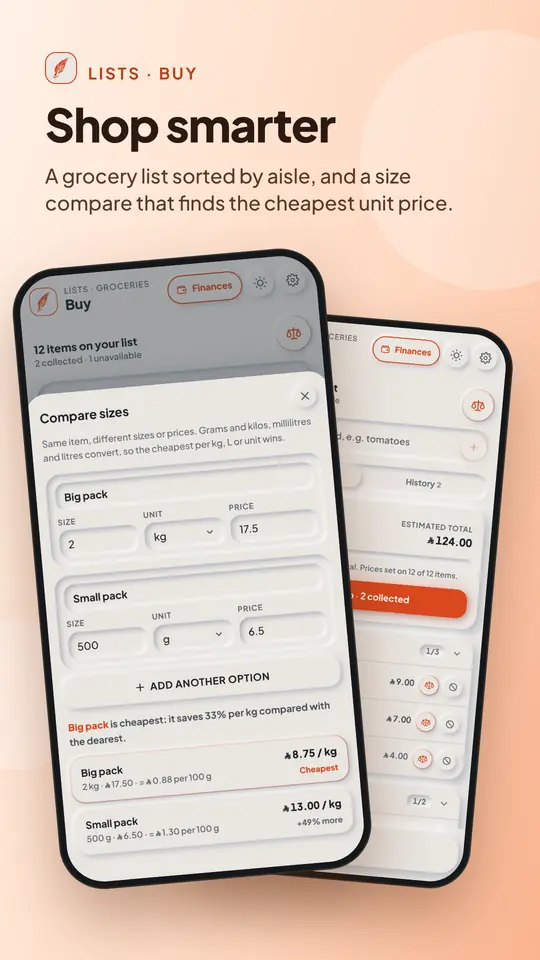
  • Buy: a grocery list with a price-per-unit size compare
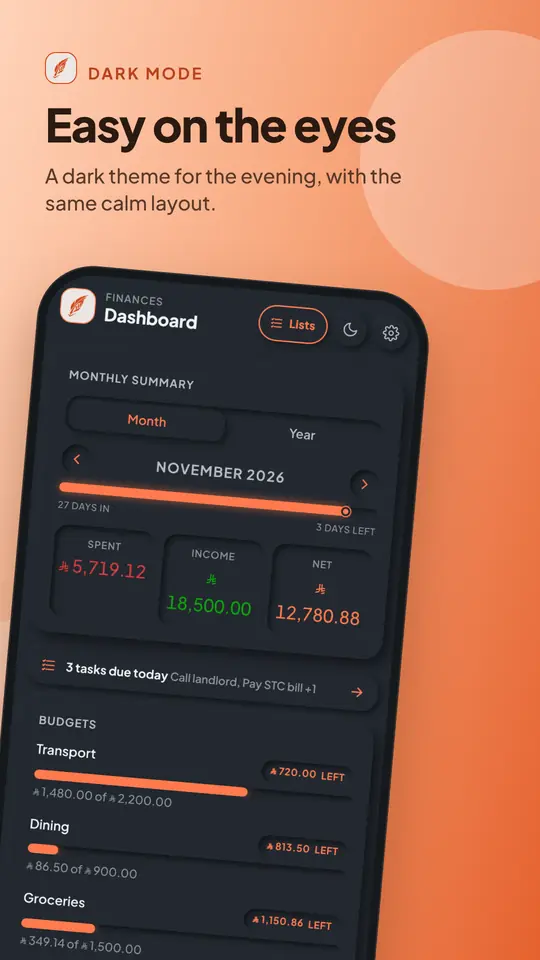
  • Dark theme

What you get

Everything in one place

Kwillit is a tracking and planning tool for your money and your everyday lists.

Finances

  • Dashboard: your month at a glance, with spending, income, net and budgets
  • Accounts and cards: organise your spending by card or bank
  • Recurring bills and subscriptions: track what is due and when
  • Goals and loans: save towards what matters and follow each loan as the balance comes down
  • Forecast: a year-ahead view of what you are expected to pay
  • Net worth: your available funds and liabilities in one number
  • Excel report: export your finances to a spreadsheet

Do

  • A quick-add to-do list with due dates and repeats
  • A Top 3 for today, and streaks to keep you going
  • Reminders for your tasks

Buy

  • A grocery list sorted by aisle
  • Learned items, so the things you buy often are quick to add
  • A trips history
  • Price-per-unit compare that works out the cheapest size or pack

Arabic and English

  • Full right-to-left layout in Arabic
  • Switch language any time
  • Light and dark themes

Backup and restore

  • Save your data to a file and bring it back when you need it
  • Restore by merging with what you have, or replace everything
  • Reminders for backups

Private by design

  • Your data is stored in your own account
  • No ads
  • No bank login: you add your own entries, and Kwillit never asks for your bank credentials
  • Fingerprint unlock to keep the app private on your phone

Ready when you are

Get Kwillit on your phone, or open it in your browser.

Questions

Good to know

What is Kwillit?

Kwillit puts your money and your everyday lists in one calm app. Finances on one side, Lists on the other, and the app opens where you left off.

Does Kwillit connect to my bank?

No. You add your own entries, and Kwillit never asks for your bank credentials or your real account or card numbers.

Does it give financial advice?

No. Kwillit is a tracking and planning tool. Forecasts are estimates based on what you enter.

Which languages are supported?

English and Arabic, with a full right-to-left layout for Arabic.

Can I use Kwillit on the web?

Yes. Sign in at app.kwillit.com with the same account.

Where is my data stored?

In your own account, in a database hosted by our backend provider and encrypted in transit. There are no ads and no tracking SDKs. Read the Privacy Policy for the details.

How do I back up or restore my data?

In the app, open Settings to save a full backup to a file, or to restore from one. See Support for the steps.

Was Kwillit called MoneyQuill?

Yes. Kwillit was formerly known as MoneyQuill, and your account and data carry over.

How do I delete my account?

From Settings in the app, or from the account deletion page, even if you have uninstalled the app.

Need a hand? Visit Support or write to support@kwillit.com.